Introduction
Working from anywhere can give digital nomads more freedom. You can work from a beach town, a busy city, a quiet apartment or a shared workspace in another country. However, remote work becomes much easier when you have the right online tools. A good set of remote work tools can help you communicate with clients, manage tasks, store files, attend meetings, track time and protect your work.
Digital nomads often deal with changing locations, different time zones, weak internet, and limited workspace. This means they need tools that are simple, reliable and easy to access from different devices.
Cloud-based services are especially useful because they allow workers to access important files and work with other people from almost anywhere. There is no need to install dozens of apps.
Communication Tools for Remote Workers
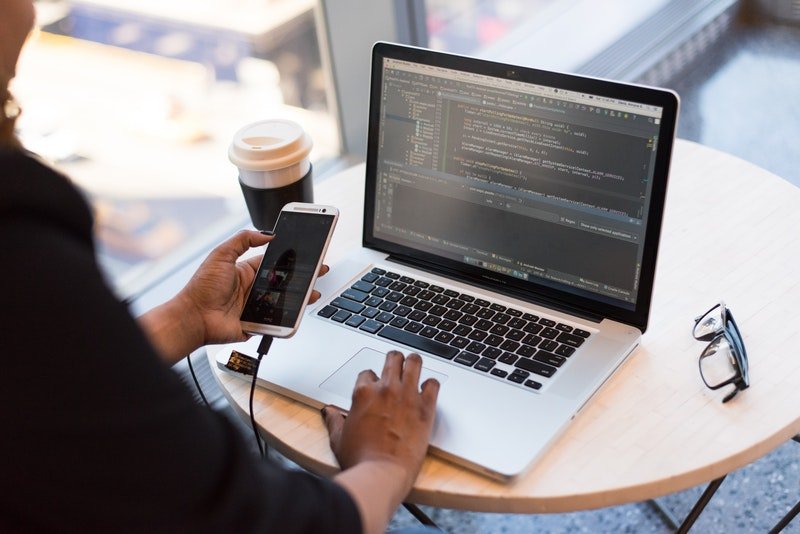
Good communication is one of the most important parts of remote work. Digital nomads may work with clients or teams who live in different countries. A reliable communication tool can help them stay connected without needing to meet in person. Team chat platforms are useful for quick questions, updates, and daily discussions.
They can also reduce the need for long email chains. When choosing a communication app, look for features such as file sharing, message search, notifications and mobile access. The best remote communication tools should make work simple rather than create more distractions.
Video Meeting Tools for Digital Nomads
Video meetings are common for freelancers, remote employees, consultants, and online business owners. A good video meeting platform lets you speak with clients and team members even when you are thousands of miles apart. Zoom Workplace is one example of a platform built around meetings and team collaboration.
- Connect with clients and team members from anywhere.
- Join virtual meetings while traveling or working remotely.
- Use Zoom Workplace for meetings, chat, and scheduling.
- Use Google Meet with other Google Workspace tools.
- Improve communication and collaboration with remote teams.
Its current features include meetings, chat, scheduling, and other workplace functions. Google Meet is another useful option for people who already use Google Workspace.
Cloud Storage for Remote Work
Digital nomads should avoid keeping important work files on only one laptop. A lost, damaged, or stolen device could cause major problems. Cloud storage provides a safer way to keep documents available across devices. Cloud storage can be used for contracts, presentations, spreadsheets, images, project files and other work documents.
It also makes file sharing easier when several people need access to the same material. Google Drive and similar cloud storage services are useful because remote teams can work on shared files without constantly sending new versions by email. Google Workspace supports real-time collaboration in Docs, Sheets, and Slides.
Project Management Tools
Managing several clients while traveling can become difficult without a clear system. Project management tools help digital nomads organize tasks, deadlines, projects and responsibilities. A simple project board can show what needs to be done, what is in progress and what has already been completed. This is especially helpful when working with clients in different time zones.
Popular project management platforms offer features such as task lists, calendars, deadlines, file attachments, and team comments. The best project management tools for remote work should match the size and complexity of your work.
Online Productivity Tools
Productivity tools help digital nomads make better use of their working hours. This is important because travel can create many distractions. Online productivity tools can help you create daily plans, manage notes, set reminders, and organize important information. A digital calendar can also help you plan meetings around travel days and different time zones.
The goal is not to fill every hour with tasks. Instead, use productivity software to decide what matters most. A short daily task list can often be more useful than a complicated system that takes too much time to manage.

Time Tracking Tools
Time tracking can be useful for freelancers who charge clients by the hour. It can also help remote workers understand how much time they spend on different projects. A time tracking tool can record working hours and help create reports for clients. Some platforms also provide features for invoices and project budgets.
For digital nomads, tracking time can provide a clear boundary between work and personal time. This is useful when traveling because it can be tempting to work at random times throughout the day.
Online Scheduling Tools
Time zones can make scheduling difficult for digital nomads. You may be working in one country while your client lives several hours behind or ahead of you. Online scheduling tools can reduce this problem by allowing people to choose available meeting times. Many scheduling platforms connect with digital calendars and automatically show open time slots.
Zoom, for example, includes scheduling features and can connect with calendar services depending on the setup and plan. A good scheduling system can reduce back-and-forth messages and help prevent missed meetings.
Secure Tools for Working While Traveling
Security is important when you work from hotels, cafés, airports, and shared workspaces. Public networks may not provide the same level of protection as a trusted private connection. Digital nomads should use strong passwords and enable two-factor authentication on important accounts. A password manager can also help store unique passwords securely.
It is also wise to keep devices updated and avoid opening sensitive accounts on unknown computers. When possible, use trusted networks and protect important files with secure backup systems.
Tools for Working Across Time Zones
Working across time zones is one of the biggest challenges for international remote teams. A meeting that is convenient for one person may happen very early or very late for someone else. Digital calendars, world clock apps and scheduling tools can help you understand different time zones.
Why Use Tools for Working Across Time Zones?
- Avoid Meeting Confusion: Everyone knows the correct meeting time.
- Improve Team Coordination: Teams can work together more smoothly.
- Manage Deadlines Easily: A consistent time zone helps prevent missed deadlines.
- Save Time: Scheduling tools quickly compare different time zones.
- Support Global Teams: Remote workers from different countries can collaborate effectively.
How to Choose the Right Remote Work Tools
The best remote work tools are not always the ones with the largest number of features. A tool is useful when it solves a real problem and fits your daily workflow. Start by identifying your main needs. You may need a video meeting app, cloud storage, project management software, communication tools, and a calendar. Choose one reliable option for each important task before adding more apps.
Too many tools can create confusion. Notifications can become distracting, files can be stored in different places, and important information may become difficult to find. Digital nomads should also consider mobile access, browser support, offline features, security, ease of use and pricing.

FAQs
Q1. What are the best tools for digital nomads?
Popular tools include project management, communication, cloud storage, productivity, travel and finance tools.
Q2. Why do digital nomads need online tools?
Online tools help digital nomads work remotely, stay organized, communicate with clients and manage tasks from anywhere.
Q3. Which tools help remote teams communicate?
Communication tools allow remote workers and teams to send messages, make video calls and collaborate easily.
Q4. Are online productivity tools free?
Many online tools offer free plans with basic features, while advanced features may require a paid subscription.
Q5. How do online tools help digital nomads travel?
They help manage work schedules, book travel, store documents, track finances and stay productive while traveling.
Final Thoughts
The right remote work tools can make digital nomad life more organized and less stressful. Communication apps help you stay connected. Video meeting platforms make client calls possible from different locations. Cloud storage keeps files available, while project management and productivity tools help you manage daily work.
Digital nomads do not need a huge collection of software. A small and well-organized set of online productivity tools, remote collaboration tools, and work-from-anywhere tools can be enough to handle most daily tasks.
The best setup depends on your work, clients, budget, travel style, and technical needs. Start with the tools that solve your biggest problems and add new ones only when they provide a clear benefit.
SEO Title:
Best Online Tools for Digital Nomads to Work and Travel
Meta Description:
Discover the best online tools for digital nomads to manage work, travel, productivity, communication and finances from anywhere.
Slug:
best-online-tools-for-digital-nomads
SEO Tags
- Digital Nomad Tools
- Remote Work Tools
- Online Productivity
- Digital Nomad Lifestyle
- Work and Travel

Feature Image